



MAESTRO
Reimagine smartphone as a simple, restorative tool
Descriptors
Different people leads different lifestyle and preferences. Yet, there is a common factor that binds us all, having a smartphone. One feature of a smartphone is the access to music anywhere and everywhere. For some, music is viewed as a restorative ritual after a long day of social engagement. However, the current interface prioritises total digital engagement, turning a simple track change into a trap of notifications and visual noise. Furthermore, long usage of earpieces can cause invasive discomfort while open-speaker audio creates socially disruptive noise to others.
This project reimagine smartphone to be stripped off from exhaustive features to allow users to recharge.
I want to consume music on the sideline after a tiring day, but the constant friction of looking at my phone to change music results in being distracted as I'm trying to have my "sanity recharge", creating a feeling of being frustrated.
Music is a fundamental source of "life energy," acting as a tool for cognitive focus and emotional recharging. However, this restorative ritual is currently compromised by a significant design failure: the smartphone. Current mobile interfaces are designed for total engagement, turning a simple task, such as changing a song, into a "digital trap" of notifications and visual noise. Furthermore, there is a physical tension in our routine; earpieces can feel invasive and uncomfortable after exercise, yet playing music openly creates a socially disruptive noise disturbance. This friction forces users back to their screens, halting the very "sanity recharge" they seek.
The solution is an amplifier case that's warped to the human ear. The walls of the amplifier section is shaped to increase the audio volume for the recipient at a lower device volume. On the digital side, the app replaces the typical cluttered UI with a landscape iteration of a music player. The buttons, when activated either by normal press or short hold, provide various level of haptic feedback. This allow users to identify the buttons by muscle memory, eliminating the need to look at the phone screen to perform an action. The entire setup turns the smartphone into a simple rhythmic instrument, giving the user space to recharge without the constant need to look at their screen or disturb surrounding people.
ATTENTION AUDIT

Over the span of one week, I made a data audit entry. This entry tracks when I get distracted. Two common pattern that I observed is that listening to music (or audio) is something that I will do constantly. The want for audio is always present regardless of the activity that I'm doing, be it working, commuting, eating, showering or even sleeping.
Another pattern is that music is part of my "post-workout routine". Whenever I'm drained, music is my go-to "companion" to help me recharge back my energy state level. Just like how phones require power banks when it is running low on battery, this need has become my own restorative routine ritual. I also find myself listening to beats that are "harder". This ritual can happen anywhere, which comes the conflict where I would inadvertently be a disturbance to others around me when I'm in public spaces.
PAPER PROTOTYPING

I started out with trying to visualise how would a standard looking phone case look like. This is also driven by how I personally interact with the phone whenever I'm outside and need to recharge by listening to music. After selecting the music track, I will flip the phone such that the speaker hole would be much closer to my ear.
INITIAL SKETCHES

The purpose of my phone case is to amplify sound. So I was looking at references such as a Trumpet / Loudhailer. I was also looking at making the whole form structure beautiful and not wanting it to look too "raw". When these comes to my mind, the thought I have in my head was when things are curved and have a nice smooth ramp.
PROTOTYPING & TESTING

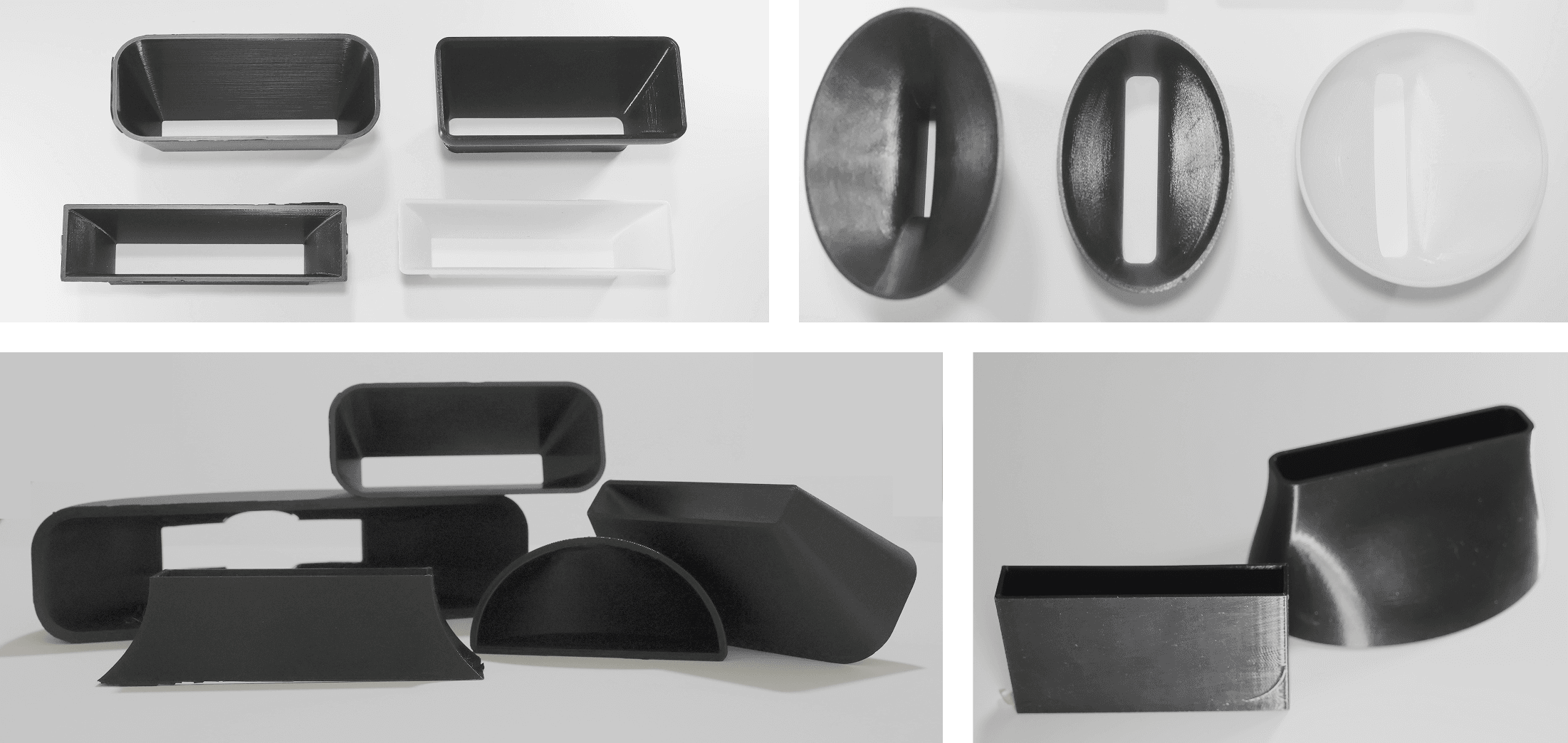
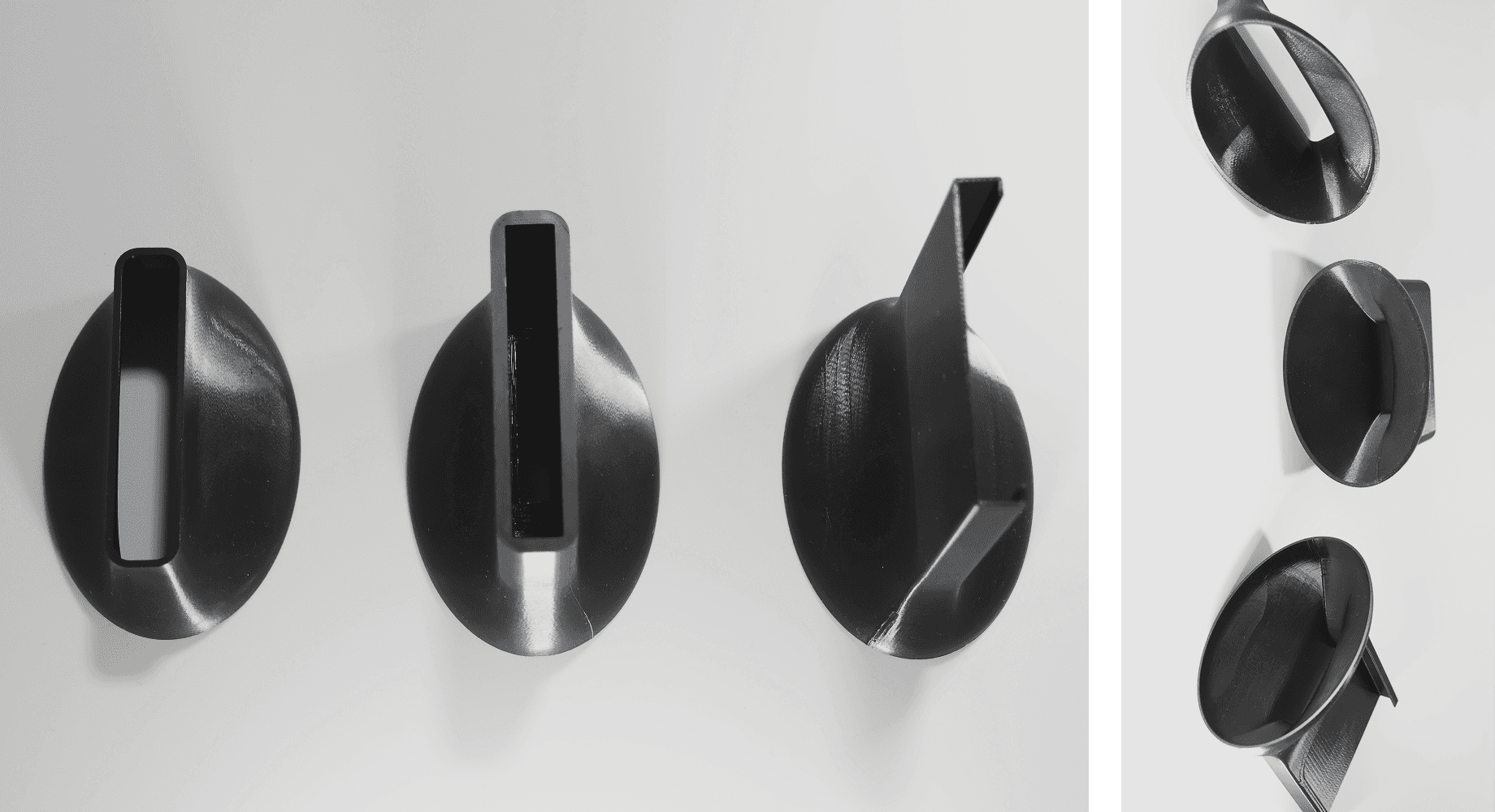
DIGITAL SCREEN COMPONENT
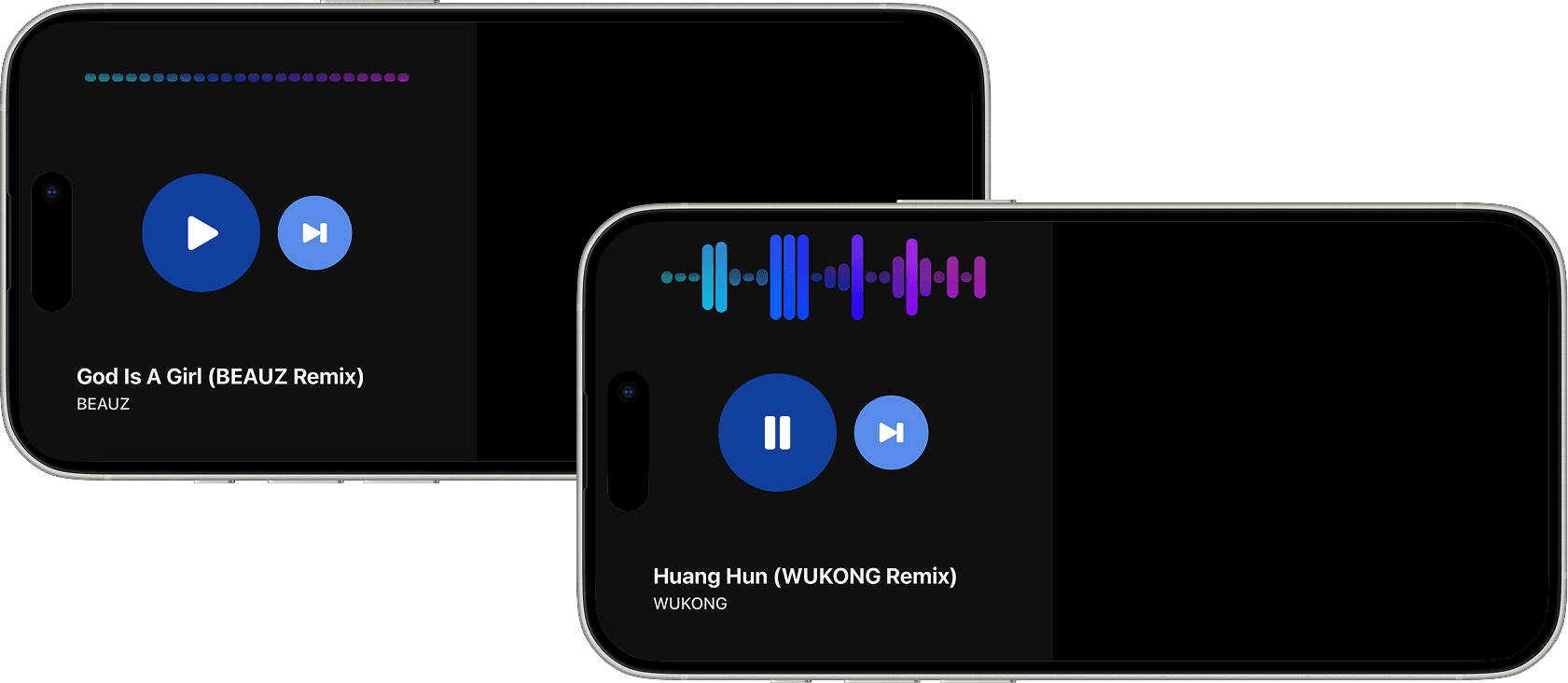
The digital screen components was made with the use of Cursor, an AI Coding platform. The decision to go with an AI agent was due to the fact that I wanted to have the waveform animated based off the beat of the song. Below are my visual references that I give for the AI system to reference.
The buttons were also built in a way such that it provides haptic feedback to the user upon being interacted with. The "Play" button will be triggered upon normal tapping with a strong haptic feedback response. The "Next" button will only be triggered when users have a short hold and it will provide a light haptic feedback. This helps users to have a sense of where the buttons are at.
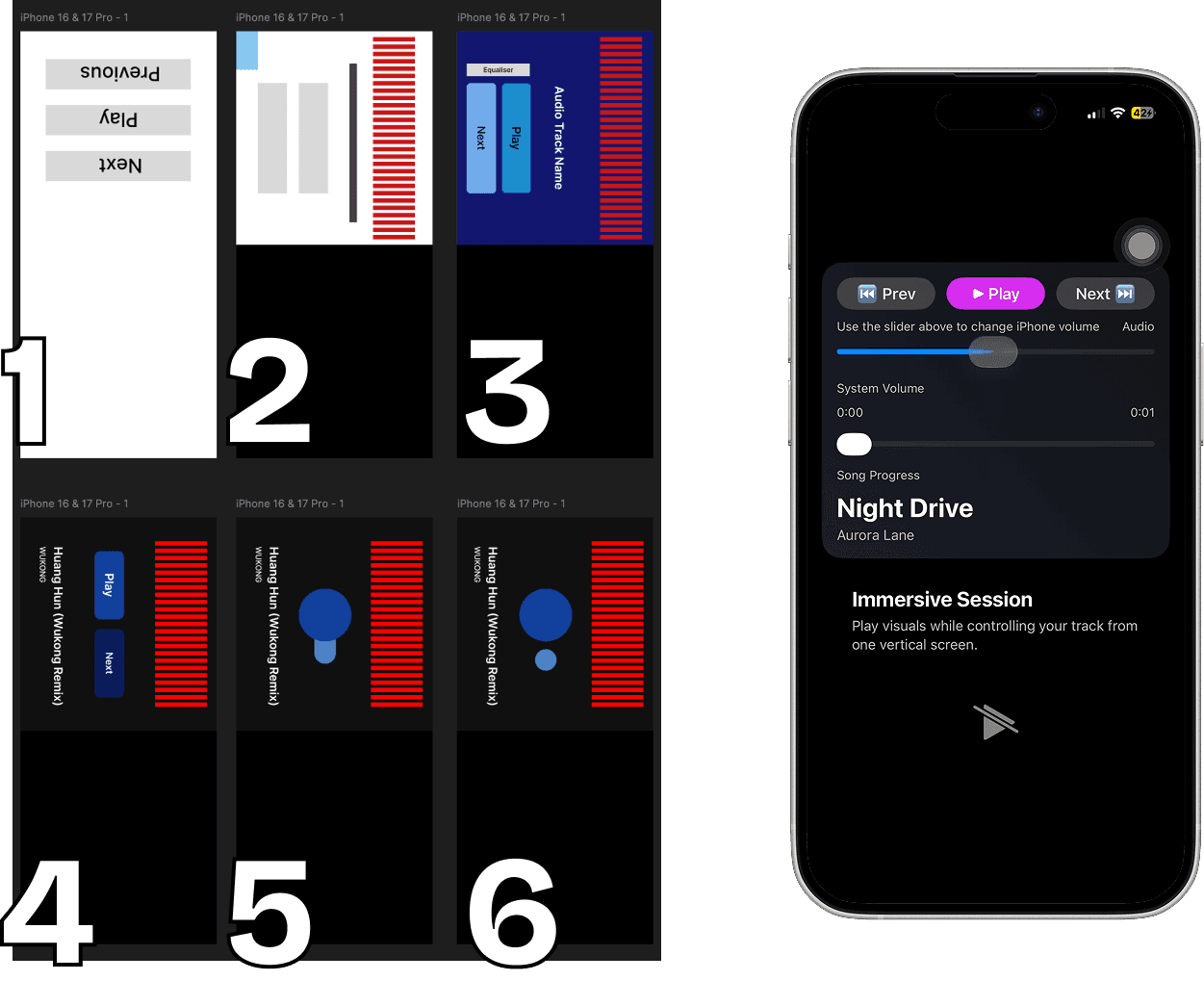
In one of the screenshot capture (placed on the right side), I initially had a feature that allow users to control the volume without having to press the physical volume buttons on their phone. This feature was subsequently removed as I noticed that with the build form of the physical phone case, users would still need to look at the screen. Besides, the finger placement would be quite near the physical volume buttons, so it has bit of a redundancy at the moment.